8 Great User Experience Websites to Inspire You in 2026
Discover 8 great user experience websites that set the standard for UX in 2026 Learn actionable tips and trends to inspire your next digital project
In 2026, the digital world is more competitive than ever, and great user experience websites are setting the gold standard for success. As users expect seamless, intuitive, and even delightful journeys online, businesses and creators must rise to meet these demands.
This article spotlights eight great user experience websites that are celebrated for their user-first design, innovative features, and leading-edge UX. Whether you are a designer, a product manager, or a founder, you will find inspiration and practical ideas to elevate your own digital projects.
Read on to discover what makes these sites truly stand out, and gather actionable insights to help you shape your next online masterpiece.
What Makes a Great User Experience Website in 2026?
Delivering great user experience websites in 2026 means more than just looking good or loading fast. Expectations are higher, and users demand seamless journeys, personalization, and ethical design from every brand. Let’s break down what makes these sites stand out in a crowded digital world.
The Evolving Definition of UX
Today, the meaning of user experience is broader than ever. Great user experience websites must excel at accessibility, ensuring everyone can interact with content regardless of ability. Personalization is key, with AI-driven suggestions and adaptive layouts creating tailored journeys for each visitor.
Consistency across devices is critical. Whether users switch from desktop to mobile or even to augmented reality platforms, their experience should remain intuitive and frictionless. Striking a balance between visual appeal, usability, and speed is essential. AI powers dynamic content, voice assistance, and gesture controls, making navigation smoother and smarter.
Ethical design now takes center stage. Transparency around data usage, privacy protections, and inclusive features are non-negotiable for modern audiences. New interaction patterns, like voice commands and AR overlays, are rapidly shaping the expectations for great user experience websites.
Key Metrics and Data-Driven UX
Measuring the success of great user experience websites relies on actionable data. Teams track metrics like conversion rates, bounce rates, session duration, and task completion to understand user behavior. A/B testing and analytics reveal which changes drive results, helping optimize every step of the user journey.
For example, sites with strong UX can see up to 400 percent higher conversion rates, illustrating the tangible impact of thoughtful design. Fast load times and mobile responsiveness are vital, as even a one-second delay can lead to significant drops in engagement.
Here’s a quick summary of core UX metrics:
Metric | Why It Matters |
|---|---|
Conversion Rate | Measures goal completions |
Bounce Rate | Indicates initial engagement |
Session Duration | Reflects user interest |
Task Completion | Assesses usability and flow |
By consistently monitoring these, great user experience websites stay ahead of user needs and industry standards.
Trends Influencing UX Design in 2026
Emerging trends are redefining what users expect from great user experience websites. Micro-interactions and subtle animations provide instant feedback, making interfaces feel alive and responsive. Designers are experimenting with minimalism and maximalism, finding the perfect balance between clarity and expression.
Accessibility is not just a best practice but a legal and ethical requirement. Brands invest in inclusive features, ensuring everyone enjoys the same smooth experience. Case studies show leading companies leveraging these trends to set themselves apart.
For deeper insight into the latest patterns, check out Top UX Design Trends to Watch in 2026 for actionable ideas on invisible interfaces and immersive experiences. Keeping up with these trends ensures your site stands among the great user experience websites of tomorrow.
8 Great User Experience Websites to Inspire You in 2026
Looking for inspiration to create great user experience websites? The digital landscape in 2026 is filled with platforms that set the gold standard for usability, accessibility, and engagement. Let’s explore eight standout websites that exemplify what it means to deliver a truly exceptional user experience.
Duolingo
Duolingo has redefined language learning by turning it into a daily habit. Its gamified approach, bright visuals, and instant feedback make it one of the most recognized great user experience websites worldwide.
Pricing: Free with ads, Duolingo Plus for $6.99/month.
Core Features: Bite-sized lessons, streak tracking, leaderboards, and progress reminders.
Unique Selling Points: Playful design, rapid feedback, and high engagement.
Target Audience: Students, travelers, polyglots, and casual learners.
Pros:
Extremely engaging and accessible
Supports dozens of languages
Encourages daily usage
Cons:
Advanced grammar is limited
Some features require a paid plan
With over 500 million users and a 4.7/5 app store rating, Duolingo stands out among great user experience websites for its intuitive onboarding and habit-forming gamification. The platform’s fun, personalized journey keeps learners coming back, making it a benchmark for UX in the edtech space.
Airbnb
Airbnb’s seamless interface and trust-building features have made it a leader among great user experience websites in the travel industry.
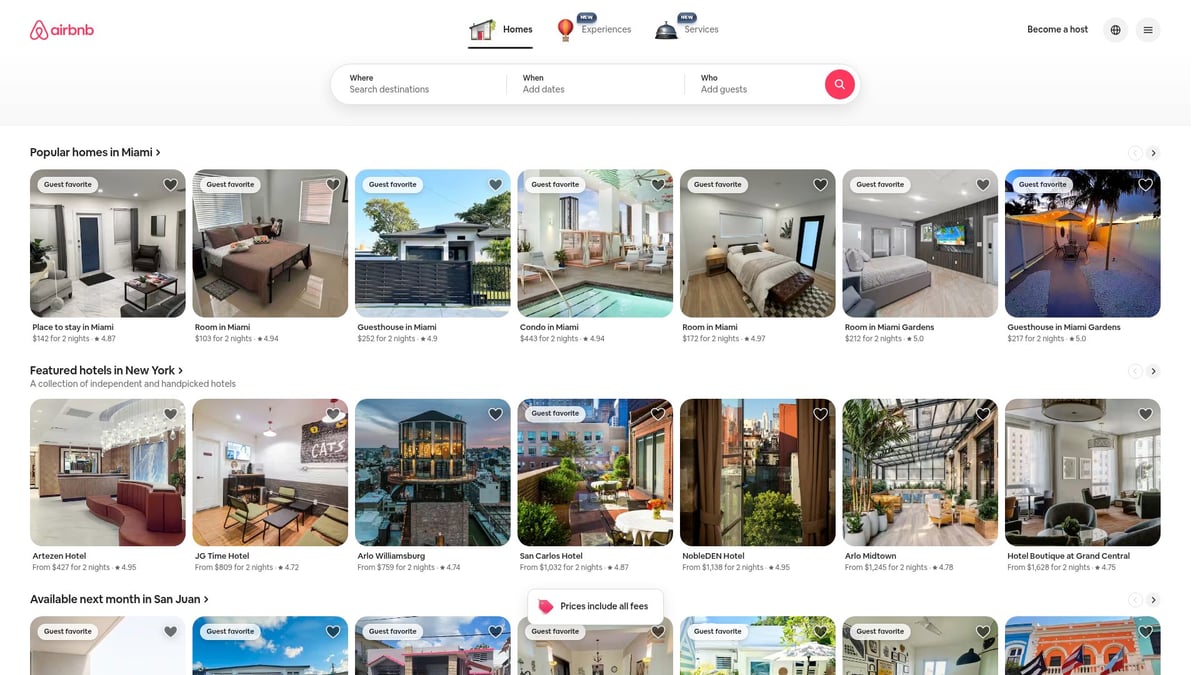
Pricing: Free to browse, accommodation costs vary.
Core Features: Intuitive search, detailed listings, verified reviews, secure payments.
Unique Selling Points: High-quality imagery, personalized recommendations, and clear calls to action.
Target Audience: Travelers, hosts, digital nomads.
Pros:
Effortless booking process
Transparent information
Mobile-first, responsive design
Cons:
Service fees can be high
Quality varies by host
Airbnb’s 4.6/5 average UX rating reflects its commitment to intuitive navigation and trust. By using intuitive navigation best practices, Airbnb reduces friction and boosts user confidence, keeping it at the forefront of great user experience websites.
Notion
Notion is an all-in-one workspace that empowers users to organize everything from notes to projects, making it a staple among great user experience websites for productivity.
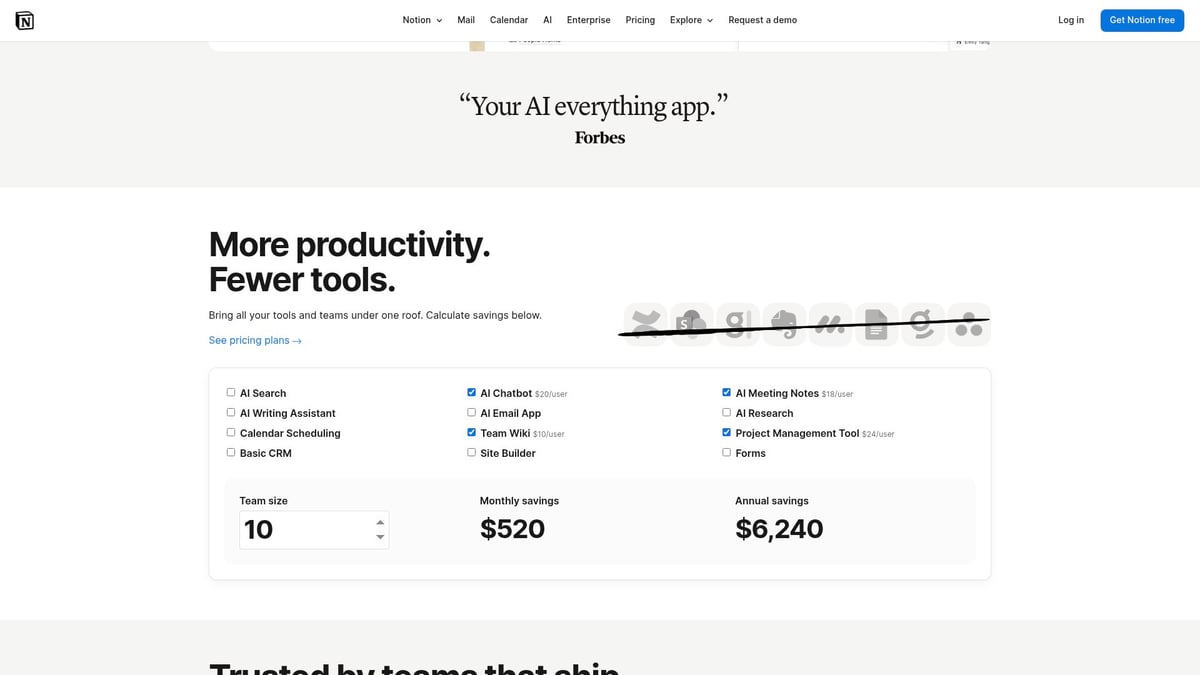
Pricing: Free for personal use, paid plans start at $8/user/month.
Core Features: Modular workspace, robust templates, real-time collaboration, database integration.
Unique Selling Points: Customizable blocks, onboarding for new users, and an active community.
Target Audience: Teams, students, project managers, creators.
Pros:
Extremely flexible and customizable
Strong cross-platform support
Rich template library
Cons:
Can be overwhelming for beginners
Large databases may lag
With over 30 million users and a 4.8/5 app store rating, Notion’s onboarding and template libraries help users unlock value quickly. Its adaptability and thoughtful design cement its place among great user experience websites for professionals and creators alike.
Netflix
Netflix is synonymous with entertainment, but it’s also one of the best great user experience websites due to its focus on personalization and ease of use.
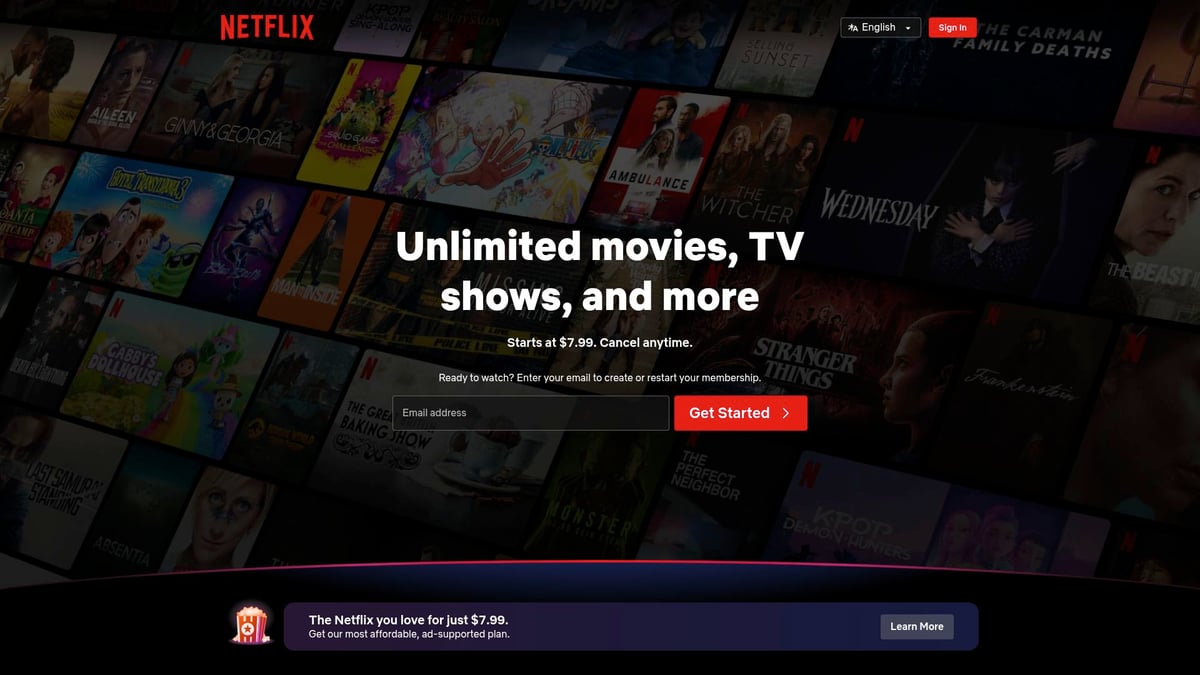
Pricing: Plans from $6.99/month (ad-supported) to $19.99/month (premium).
Core Features: Personalized recommendations, seamless streaming, multiple profiles.
Unique Selling Points: Minimalist interface, adaptive streaming, skip intro and next episode automation.
Target Audience: Viewers of all ages, households, movie buffs.
Pros:
Highly intuitive navigation
Extensive accessibility options
Fast, reliable content delivery
Cons:
Content library varies by region
Periodic price increases
Netflix’s 4.78/5 UX rating highlights its commitment to a frictionless experience. By prioritizing speed and personalization, Netflix keeps users engaged, setting the bar for great user experience websites in entertainment.
Trello
Trello’s visual approach to project management makes it a favorite among great user experience websites for teams and individuals.
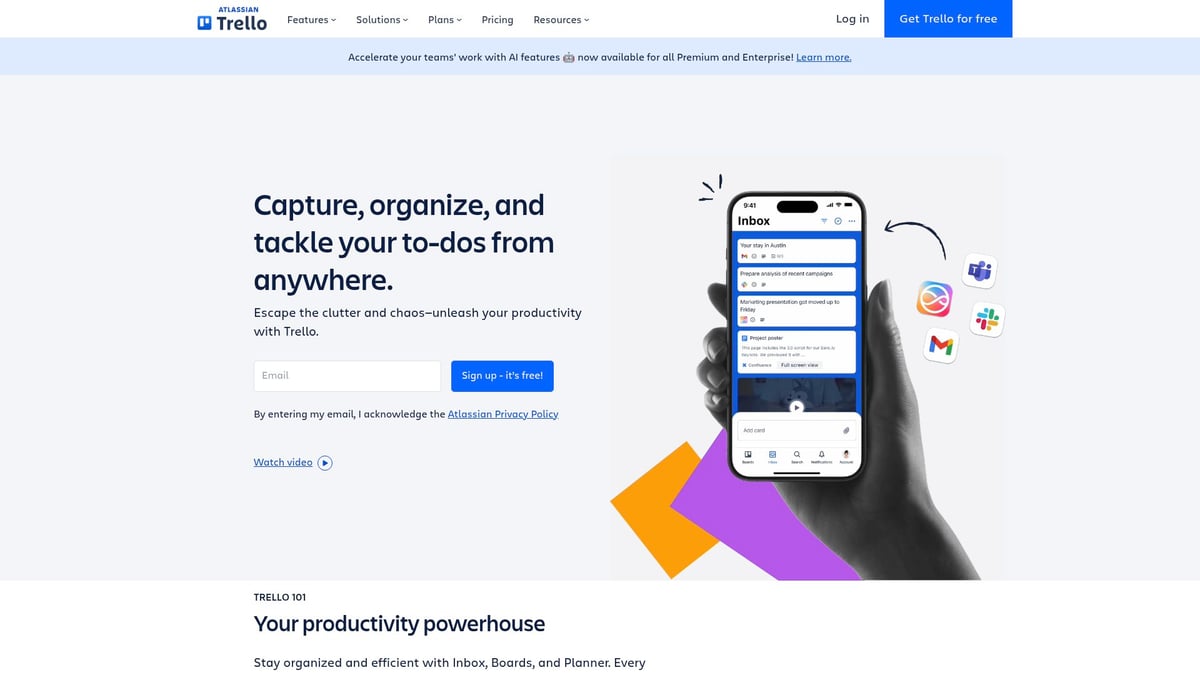
Pricing: Free basic plan, business plans from $5/user/month.
Core Features: Kanban boards, drag-and-drop tasks, Power-Ups (integrations), automation.
Unique Selling Points: Visual project management, customizable workflows, real-time collaboration.
Target Audience: Teams, freelancers, educators, project managers.
Pros:
Simple and visual interface
Flexible for various workflows
Integrates with popular productivity tools
Cons:
Free plan is limited
Boards may become cluttered with heavy use
Trello’s average UX rating of 4.48/5 demonstrates its effectiveness. Its simplicity and clarity make it a go-to choice for users seeking great user experience websites to manage projects with ease.
L.L. Bean
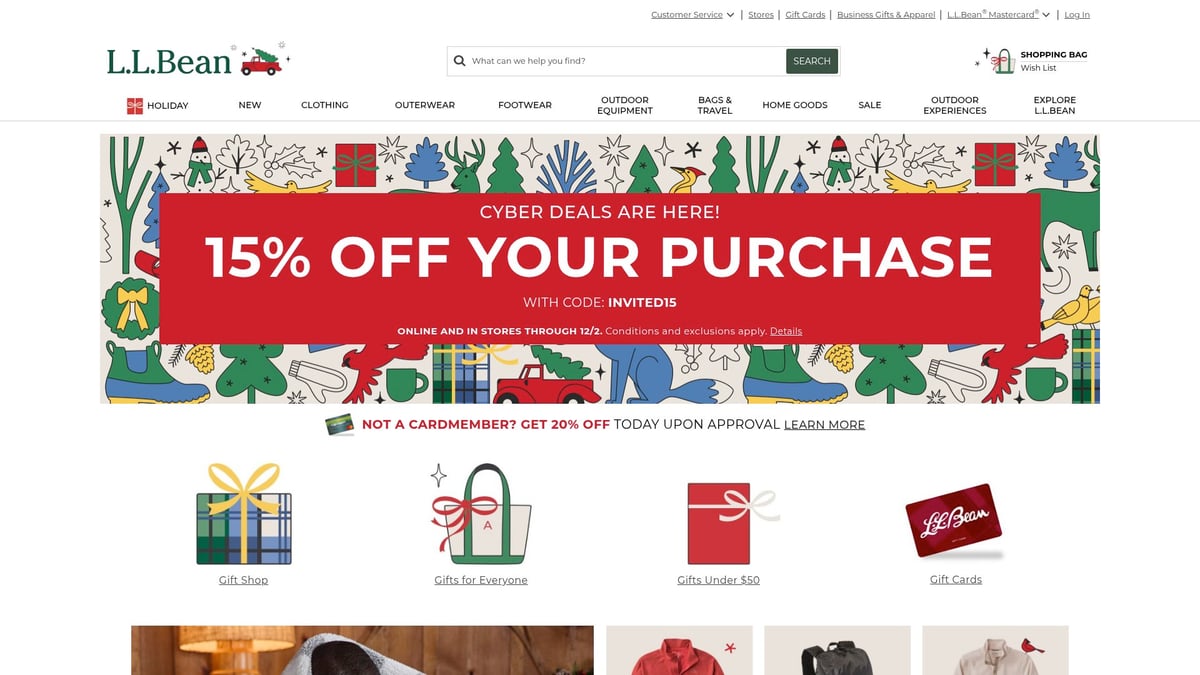
L.L. Bean’s website is a prime example of how great user experience websites can combine e-commerce with educational content to build trust and loyalty.
Pricing: Free to browse, product prices vary.
Core Features: Fast navigation, advanced search, rich product imagery, customer reviews.
Unique Selling Points: Outdoor expertise, integrated blog and video content, streamlined checkout.
Target Audience: Outdoor enthusiasts, families, quality-focused shoppers.
Pros:
Reliable customer service
Detailed product info
Accessible design for all users
Cons:
Limited international shipping
Some inventory constraints
With a 4.54/5 UX rating, L.L. Bean’s blend of product discovery and educational resources places it among the top great user experience websites in retail. The site’s clear structure and easy navigation make shopping both informative and enjoyable.
Medium
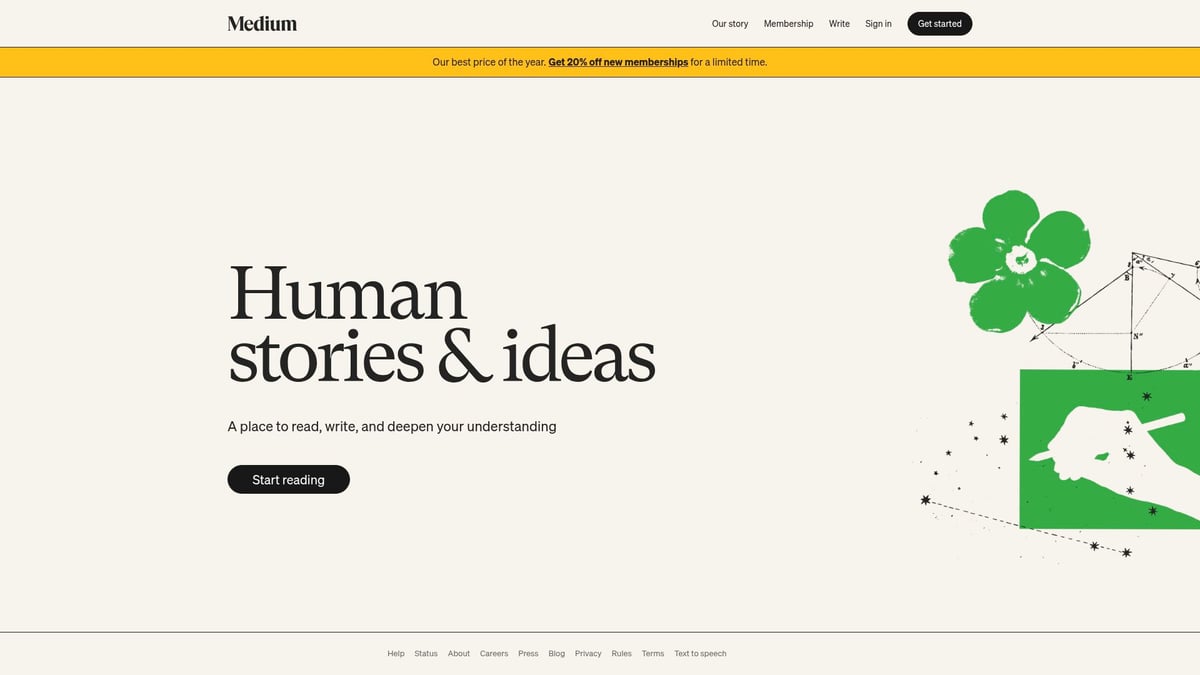
Medium’s minimalist approach creates an immersive reading environment, earning its spot among great user experience websites for content consumption.
Pricing: Free limited access, $5/month for unlimited reading.
Core Features: Clean reading interface, highlights, commenting, writer tools.
Unique Selling Points: Focused typography, distraction-free layouts, strong community engagement.
Target Audience: Writers, readers, bloggers, thought leaders.
Pros:
Beautiful, readable design
Responsive and mobile-friendly
Supports multimedia storytelling
Cons:
Free users hit a paywall quickly
Limited customization for writers
Medium boasts a 4.56/5 UX rating. By prioritizing readability and community features, it fosters deep engagement and stands out among great user experience websites for both writers and readers.
Dropbox
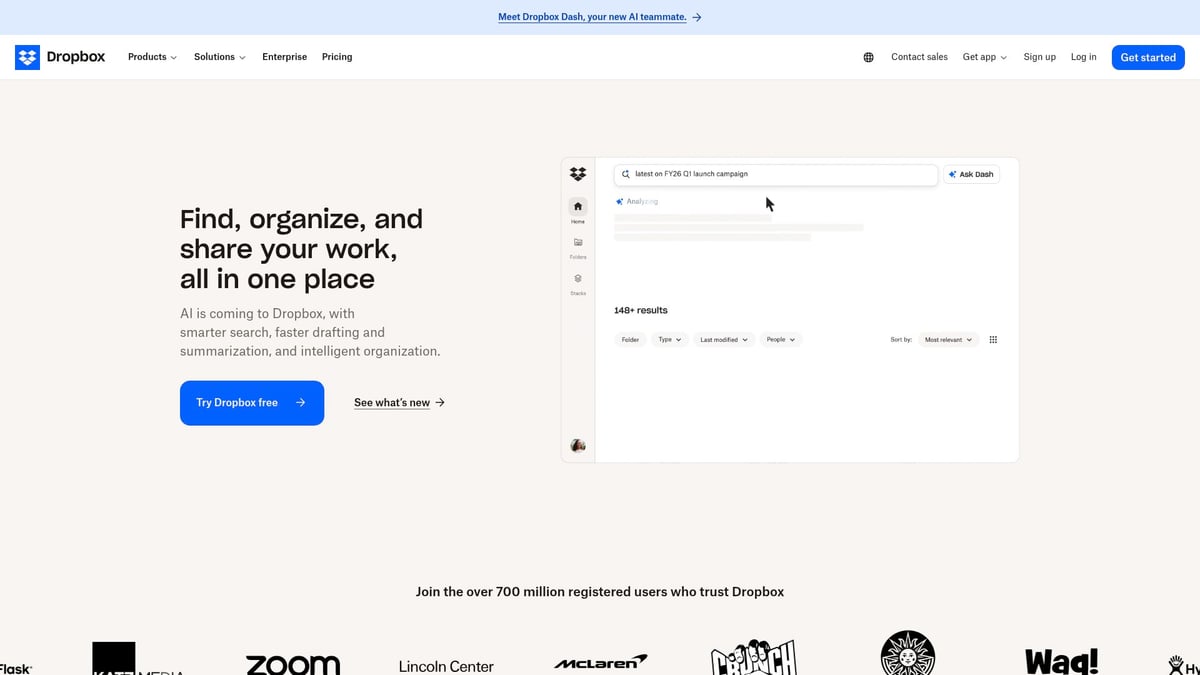
Dropbox is a pioneer in cloud storage, consistently ranking among great user experience websites for its reliability and ease of use.
Pricing: Free basic plan, paid plans from $9.99/month.
Core Features: Cloud storage, file sharing, collaboration, file recovery, integrations.
Unique Selling Points: Simple, intuitive interface, strong security, seamless sync across devices.
Target Audience: Professionals, creatives, businesses, remote teams.
Pros:
Easy file management
Reliable performance
Extensive third-party integrations
Cons:
Limited free storage
Some advanced features require a subscription
With over 700 million registered users and a 4.2/5 UX rating, Dropbox proves that consistency and reliability are crucial for great user experience websites. Its straightforward approach keeps productivity at the forefront, making it a trusted choice for individuals and organizations.
How to Apply UX Inspiration from Leading Websites
Drawing inspiration from great user experience websites can transform your digital project. But how do you translate what works for industry leaders into your own context? The secret is to adapt, not just adopt, while keeping your users at the heart of every decision.
Adapting Best Practices to Your Own Projects
Start by analyzing great user experience websites for patterns that fit your goals. Look for onboarding flows, gamification elements, and clear visual hierarchies. These features often create intuitive and engaging journeys.
Use competitor sites as benchmarks, but always tailor solutions to your unique audience. What delights users on Duolingo or Netflix might not work for your niche. Conduct user research through interviews or surveys to uncover what your visitors truly value.
Accessibility is non-negotiable. Implement keyboard navigation, ensure screen reader compatibility, and maintain strong color contrast. These steps widen your reach and boost satisfaction.
Leverage analytics and user testing to refine your site. Tools like heatmaps can reveal where users struggle, while A/B testing validates design changes. For a structured approach, consider following a UX audit step-by-step guide to systematically identify improvement areas.
Prioritize fast load times and mobile responsiveness, as these are key drivers of engagement. For example, many e-commerce brands have seen up to a 20 percent sales increase after adding personalized recommendations, a hallmark of great user experience websites.
Avoiding Common UX Pitfalls
While learning from great user experience websites, resist the urge to copy features blindly. What works for one audience may confuse or overwhelm another. Instead, extract underlying principles and adapt them thoughtfully.
Beware of feature bloat. Adding too much can clutter the interface and distract users from core tasks. Simplicity and clarity should always take precedence.
Regularly update your UX as user expectations evolve. What feels modern today may seem outdated tomorrow. Continuous testing and feedback help you stay ahead.
Do not overlook legal and ethical considerations. Prioritize data privacy and accessibility to build trust. Monitoring key user experience metrics is essential for ongoing success. If you want to dive deeper into optimizing your site, explore these UX metrics to measure success and ensure your improvements are data-backed.
Here is a quick comparison table to keep you on track:
Pitfall | Solution |
|---|---|
Copying blindly | Adapt, don’t adopt |
Feature bloat | Prioritize clarity and simplicity |
Stagnant UX | Regularly update and test |
Ignoring compliance | Focus on privacy and accessibility |
By applying lessons from great user experience websites, you set the foundation for digital experiences that delight and convert. Stay curious, keep iterating, and let your users guide your next steps.
Resources and Tools for Building Exceptional UX in 2026
Creating great user experience websites in 2026 means using the right mix of tools, resources, and strategies. Whether you are designing from scratch or improving an existing product, the resources below will help you stay ahead of the curve.
Essential UX Design Tools and Platforms
To build great user experience websites, start with collaborative design and prototyping tools. Figma, Sketch, and Adobe XD let teams work together in real-time, speeding up feedback and iteration.
User behavior analytics tools like Hotjar and FullStory provide heatmaps and recordings to visualize how visitors interact with your site. These insights are invaluable for spotting friction points.
For usability testing, Maze and UserTesting enable remote feedback from real users. Performance and accessibility audits with Lighthouse and WebPageTest ensure your site meets modern standards.
Here is a quick comparison table of popular UX tools:
Tool | Purpose | Collaboration | Analytics |
|---|---|---|---|
Figma | Design/Prototyping | Yes | No |
Hotjar | Behavior Analytics | No | Yes |
Maze | Usability Testing | Yes | Yes |
Choosing the right mix will set the foundation for great user experience websites.
Educational Resources and UX Communities
Continuous learning is vital for anyone building great user experience websites. Top educational resources include Nielsen Norman Group for research, UX Collective for articles, and Smashing Magazine for case studies.
If you prefer courses, check out Coursera, Interaction Design Foundation, or Udemy. These platforms offer structured learning paths for beginners and experts alike.
Connecting with others is just as important. Join forums like Designer Hangout and UX Stack Exchange to ask questions, share knowledge, and stay motivated.
By tapping into these communities, you can learn from the successes and failures of other great user experience websites and accelerate your own growth.
Staying Ahead of UX Trends
Staying current with trends is essential for creating great user experience websites that delight users. Attend conferences like UXDX, Awwwards, and Web Summit for the latest insights and networking opportunities.
Follow thought leaders and top agencies online to keep your finger on the pulse. Regularly review award-winning sites, such as those featured on Awwwards and Webby Awards, to spot emerging patterns.
For a deeper dive into future-focused trends, check out resources like 10 Key Trends in User Experience for 2026. This guide covers spatial computing, neurodiversity, and adaptive interfaces that will define the next generation of great user experience websites.
Actionable Steps for Your Next UX Project
Ready to apply these insights? Start by setting clear UX goals and KPIs for your project. Map user journeys to identify pain points, then prototype and test before launch.
Use analytics and regular user feedback to drive ongoing improvements. Prioritize accessibility at every stage, ensuring keyboard navigation and screen reader support.
Break the process into these steps:
Define goals and metrics
Map and test user journeys
Prototype and iterate
Launch, collect feedback, and improve
These practical actions will help you join the ranks of great user experience websites and deliver memorable digital products.
Now that you’ve seen how top websites are raising the bar in user experience for 2026, you might be wondering how your own site stacks up. Taking inspiration is a great first step, but getting real feedback on your product and landing page connection can make all the difference. If you’d like a fresh perspective and actionable insights specific to your startup, I’d love to help. Why not Book a free Product Website Audit and see where you can boost conversions and delight your users even more? Let’s turn inspiration into results together.