Essential Guide to Services UI Design for 2026
Master services UI design for 2026 with this essential guide covering trends, AI integration, best practices, case studies, and future proof strategies for success.
The future of digital services is being shaped by rapid innovation, and services ui design will be at the heart of every successful platform in 2026. As businesses race to meet rising user expectations, mastering services ui design is no longer optional, it is essential.
This guide will help you navigate emerging trends, user-focused strategies, and practical steps for creating standout service interfaces. You will discover how to harness AI and automation, apply best practices, and build future-proof solutions.
Ready to transform your approach? Dive in and start implementing proven strategies to elevate your digital services for the year ahead.
The Evolving Landscape of Services UI Design in 2026
The landscape of services ui design is rapidly transforming as we approach 2026. Companies are rethinking digital experiences to meet new user expectations and industry demands. Let’s explore the trends, sector-specific needs, data-driven methods, collaboration models, and the biggest challenges and opportunities ahead.
Key Trends Shaping Services UI Design
Several trends are redefining services ui design. AI-powered interfaces are automating repetitive tasks, personalizing content, and predicting user needs. Automation frameworks now enable 40% faster product launches, as seen in Halo Lab’s SaaS projects.
Hyper-personalized user experiences are becoming standard, with interfaces adapting in real time to individual preferences. Accessibility and inclusivity are front and center, making sure services ui design works for everyone. There’s also a clear shift toward mobile-first and cross-platform solutions, especially for B2B and SaaS platforms.
For a deeper dive into these principles, explore Service product design essentials, which covers strategies for building effective, user-focused service interfaces.
The Impact of Industry-Specific Needs
Services ui design must flex to fit unique industry requirements. Finance apps, for example, demand robust security and compliance with regulations like GDPR. Healthcare platforms need interfaces that support HIPAA compliance and empower patients through clear, accessible flows.
Logistics services benefit from real-time dashboards and intuitive tracking. Successful adaptations include a healthcare SaaS that streamlined patient onboarding, and a logistics dashboard that cut delivery errors by 25%. Regulatory factors often drive innovation, pushing teams to create sector-specific solutions that balance usability with compliance.
Data-Driven and User-Centric Approaches
Data is the backbone of modern services ui design. User research uncovers pain points and expectations, while analytics guide decision-making. Competitors increasingly rely on data-backed insights to optimize every design update.
Iterative improvements are powered by real-time feedback, allowing teams to test, learn, and refine features quickly. For example, SaaS platforms use heatmaps and user session recordings to pinpoint friction, resulting in smoother flows and higher satisfaction. This focus on user-centricity ensures services ui design remains relevant and effective.
The Role of Collaboration and Agile Workflows
Collaboration is essential for high-performing services ui design. Sprint-based workflows speed up delivery by 25%, according to Halo Lab, enabling faster scaling and adaptation. Cross-functional teams, including designers, developers, and product managers, work together from ideation to deployment.
Streamlined handoffs between design and development minimize errors and reduce rework. For instance, using shared design systems and clear documentation ensures consistency and accelerates time to market. Agile practices keep projects flexible and responsive to change, making services ui design more efficient.
Challenges and Opportunities Ahead
Teams face common challenges in services ui design, such as slow product launches, limited budgets, and scaling hurdles. Structured workflows and AI-enhanced processes are helping to overcome these barriers.
Innovation opportunities abound, from leveraging automation to experimenting with new interface paradigms. As technology evolves, services ui design will need to keep pace, turning today’s challenges into tomorrow’s competitive advantages.
Core Principles of High-Impact Services UI Design
Creating high-impact services ui design in 2026 means focusing on the fundamentals that drive both usability and business value. Let’s break down the five key principles that set successful digital services apart.
User-Centered Design and Accessibility
User-centered design puts real people at the heart of every decision. It’s more than a buzzword—it’s a proven approach for boosting engagement, loyalty, and conversions. In services ui design, understanding what users need, want, and struggle with delivers real business results.
Accessibility is now a non-negotiable standard. Ignoring it can lead to user drop-off and even legal trouble. By following Human-Centered Design Principles, teams ensure every interface is usable for people of all abilities. This includes color contrast, keyboard navigation, and alt text for images.
Prioritizing inclusivity and empathy leads to interfaces that feel welcoming and intuitive for everyone. Services ui design that puts users first stands out in crowded markets.
Consistency, Clarity, and Brand Alignment
Consistency is the backbone of great services ui design. Visual patterns, button styles, and navigation should feel familiar across every page and device. This builds user trust and reduces confusion.
Clarity in layout and messaging helps users complete tasks without friction. Integrating brand elements—like color, typography, and tone—reinforces recognition and credibility. For example, a fintech app with consistent iconography and clear calls to action offers a seamless brand experience.
Here’s a quick table to illustrate:
Element | Consistent Example | Inconsistent Example |
|---|---|---|
Buttons | Same color, shape | Varying styles |
Typography | Unified fonts | Random mix |
Logo Placement | Top left always | Moves between screens |
Services ui design shines when every interaction feels thoughtfully aligned with the brand.
Performance, Responsiveness, and Scalability
Modern users expect lightning-fast, responsive interfaces. Performance is critical for services ui design, especially as products scale. Delays and lag can drive users away before they even start.
Scalability matters as your platform grows. Design systems and reusable components help products expand without losing quality or consistency. For instance, teams using structured workflows report faster launches and fewer bugs.
Responsive layouts adapt to any device, ensuring a smooth experience everywhere. Investing in these areas keeps services ui design reliable and enjoyable, even as complexity increases.
Data-Informed Decision Making
Data is the compass for successful services ui design. Analytics, heatmaps, and usability tests reveal what’s working and what needs fixing. By tracking user journeys, teams spot friction points and optimize flows.
Continuous feedback loops—like A/B testing and in-app surveys—drive iterative improvements. For example, real-time analytics might show where users drop off during onboarding, guiding quick design tweaks.
Competitors who base decisions on data consistently see higher engagement rates. Embedding data into every stage of the process ensures services ui design stays effective and user-friendly.
Security, Privacy, and Compliance
Security and privacy are core to every services ui design project. Protecting user data builds trust and keeps your service compliant with global regulations such as GDPR and ADA.
Designing with security in mind means using clear permissions, secure authentication, and transparent privacy policies. Staying ahead on compliance helps avoid costly setbacks and keeps your service accessible to all users.
Step-by-Step Process for Designing Service UIs in 2026
Designing effective services ui design solutions in 2026 requires a structured, user-focused approach. Each stage plays a vital role in delivering interfaces that drive engagement, efficiency, and business growth. Let’s walk through a modern process that ensures your team builds robust, future-ready digital products.
Discovery and User Research
The first step in services ui design is thorough discovery. Begin with stakeholder interviews to align on core business goals and user expectations. Combine qualitative research, such as surveys and user interviews, with quantitative data like analytics and heatmaps.
Identify pain points and unmet needs. Map out user personas and key scenarios for your services ui design project. Drawing inspiration from Toptal’s “Discover” phase, look for strategic opportunities that set your service apart. For a full breakdown of the workflow, check out this UI design process step-by-step resource.
Defining Requirements and UX Strategy
Translate your findings into clear design requirements. Document must-have features, compliance needs, and business objectives. Workshops and collaborative sessions are essential for gathering input from product, engineering, and compliance teams.
Establish a UX strategy that fits both user expectations and industry standards. Services ui design at this stage benefits from aligning every decision with measurable business outcomes. Use visual aids, such as prioritized feature lists or user journey maps, to keep the team focused.
Information Architecture and Journey Mapping
A solid information architecture lays the foundation for intuitive services ui design. Organize content and features logically, ensuring users can find what they need quickly. Create user flows that highlight the main actions and transitions throughout the platform.
Journey mapping helps spot friction points and optimize for smooth navigation. Competitors emphasize streamlined content structures, which reduce confusion and boost user satisfaction. Use card sorting or tree testing to validate your IA decisions.
Wireframing and Prototyping
Next, develop wireframes that outline layout and functionality. Start with low-fidelity sketches to brainstorm ideas quickly. Progress to high-fidelity wireframes for detailed structure.
Build interactive prototypes to simulate user journeys and gather early feedback. Rapid iteration is key in services ui design, allowing teams to test concepts before development. Leverage tools like Figma or Sketch for collaborative prototyping and easy sharing with stakeholders.
Visual UI Design and Branding
With structure in place, focus on visual design. Apply principles like hierarchy, contrast, and balance to create clear, attractive interfaces. Integrate brand elements—colors, typography, and logos—to ensure a cohesive experience.
Accessibility and inclusivity must be front and center in services ui design. Use sufficient color contrast, readable fonts, and scalable components. Confirm that visual choices reflect your company’s brand and resonate with your audience.
Usability Testing and Iteration
Usability testing is the heartbeat of effective services ui design. Test prototypes with real users to uncover friction points and opportunities for improvement. Employ methods like moderated sessions, A/B testing, or remote usability studies.
Collect actionable feedback and prioritize enhancements that drive user satisfaction. Competitors who prioritize validation see higher retention and engagement rates. Iterative cycles help refine the interface and adapt to changing needs.
Handoff, Development, and Quality Assurance
Prepare polished design assets and thorough documentation for handoff to developers. Use tools that support version control and clear communication between design and engineering.
Collaborate closely to ensure accurate implementation of your services ui design vision. Set up quality assurance processes, including visual regression testing and accessibility checks, to maintain consistency. A well-structured handoff reduces friction and speeds up product launches.
Integrating AI, Automation, and Emerging Technologies
Artificial intelligence and automation are rapidly transforming the landscape of services ui design. These technologies enable teams to deliver smarter, more efficient, and highly personalized digital experiences. Let’s explore how these innovations are shaping the future of user interfaces.
AI-Driven Personalization and Predictive UI
AI is revolutionizing services ui design by enabling interfaces to adapt in real time. Personalization powered by AI analyzes user data and behavior to deliver content, layouts, and features tailored to individual needs. Predictive UI elements can anticipate user actions, making interactions seamless and intuitive.
For example, SaaS platforms now use AI to recommend next steps or surface relevant features based on usage patterns. This not only speeds up workflows but also boosts user satisfaction. According to Halo Lab, leveraging AI tools has resulted in 2x faster project outcomes compared to traditional methods.
To dive deeper into the latest advancements, check out these AI-Powered UI/UX Trends for 2026, which highlight the role of hyper-personalization and predictive design in modern interfaces.
Automation in UI Workflows
Automation is a game changer in services ui design, streamlining repetitive tasks and improving efficiency. Design systems now integrate automated components that update across platforms, ensuring consistency and reducing manual work. Automated testing tools quickly flag usability issues, enabling designers to focus on creativity and strategy.
SaaS and enterprise platforms benefit from automated asset generation, version control, and accessibility checks. This approach helps teams scale products rapidly without sacrificing quality. Automation also supports agile workflows, where quick iterations are essential for staying competitive in 2026.
By embedding automation, services ui design teams can devote more energy to solving user problems and innovating, rather than getting bogged down in routine updates.
Voice, Gesture, and Multimodal Interfaces
The integration of voice and gesture controls is unlocking new possibilities for services ui design. Voice commands offer hands-free navigation, while gestures create intuitive ways to interact with digital products. Together, these modalities enhance accessibility, making digital services more inclusive for users with varying abilities.
Industry adoption rates for voice and gesture interfaces continue to rise as users expect frictionless interactions across devices. Multimodal UIs blend touch, voice, and visual cues to provide a richer, more flexible user experience.
Designers must consider these emerging interaction patterns to meet evolving user expectations and create services ui design solutions that are future-ready and accessible.
Preparing for Future Technologies
Looking ahead, services ui design must evolve to embrace technologies like augmented reality (AR), virtual reality (VR), and the Internet of Things (IoT). These innovations are reshaping how users interact with digital services, requiring adaptable and forward-thinking design strategies.
To future-proof interfaces, teams should build modular design systems that can incorporate new technologies as they emerge. Regular optimization and ongoing research will help maintain relevance in a rapidly changing landscape.
Competitors are already investing in continuous improvement and optimization, ensuring their services ui design solutions remain ahead of the curve and meet tomorrow’s digital challenges.
Best Practices and Common Pitfalls in Services UI Design
Delivering exceptional services ui design requires a balance between proven best practices and avoiding common traps. As digital services evolve, the smallest misstep can lead to user frustration or missed business goals. By following industry-backed strategies, you can ensure your interfaces are effective, accessible, and ready for future demands.
Proven Best Practices for 2026
To excel in services ui design, focus on simplicity and intuitive navigation. Users expect seamless journeys, so every element should serve a clear purpose. Consistency across touchpoints builds trust and strengthens your brand identity.
Regular feedback loops are essential. Integrate user insights throughout your design process to boost engagement and conversions. Case studies show that companies prioritizing these practices see higher retention and satisfaction.
For a deeper dive into actionable strategies, check out these Great UI design best practices. Use their insights to refine your approach and avoid common missteps.
Avoiding Common Mistakes
Even experienced teams can fall into familiar traps with services ui design. Overcomplicating flows makes onboarding difficult, while neglecting accessibility pushes users away. Outdated design solutions can create friction and lower satisfaction.
Examples abound of platforms that failed due to unclear navigation or ignored onboarding. Skipping user testing or accessibility checks leads to costly redesigns down the line.
Stay vigilant by regularly reviewing your interfaces and learning from real-world failures. This approach prevents costly errors and keeps your services ui design on the right track.
Optimizing for Conversion and Retention
A high-performing services ui design delivers clear calls to action and smooth onboarding. These elements help users move effortlessly from first interaction to loyal customer. Well-crafted micro-interactions and delightful visuals encourage repeat engagement.
Data shows improved onboarding can dramatically increase early user engagement. Focus on user-centric flows and transparency at every step. Gather feedback, refine your processes, and watch conversion rates climb.
By making every touchpoint purposeful, you turn new users into long-term advocates. Keep the user journey simple and rewarding for best results.
Scaling and Maintaining Service UIs
Sustaining effective services ui design means planning for growth. Develop robust design systems and maintain thorough documentation. This ensures your product scales smoothly and adapts to new features or platforms.
Ongoing optimization is essential. Use analytics to track performance and spot areas for improvement. Industry leaders invest in regular updates and support, keeping their interfaces current and relevant.
A proactive approach to scaling and maintenance helps future-proof your services ui design. Stay adaptable and responsive to changing needs for ongoing success.
Case Studies: Real-World Success in Services UI Design
SaaS Platform Transformation
Linkbycar, a SaaS provider, faced stagnation in user conversions and struggled with outdated services ui design. Their solution was a comprehensive UI/UX overhaul that focused on understanding user journeys and implementing scalable, modular design systems.
Through iterative prototyping and usability testing, Linkbycar improved the clarity and consistency of their interface. This focus on services ui design led to a notable increase in customer loyalty, with over 100 repeat clients post-redesign.
A key factor in this success was the adoption of integrating design systems for scalability, which enabled faster feature rollouts and easier onboarding for new users. The transformation set a new standard for SaaS platforms aiming to future-proof their services ui design.
Enterprise Service Redesign
WeSpire, an enterprise platform, embarked on a services ui design revamp to address high bounce rates and stagnant site traffic. The process began with a thorough audit, followed by collaborative workshops to align business goals with user needs.
By implementing a streamlined information architecture and enhancing accessibility, WeSpire reduced cognitive load for users. Services ui design improvements included more intuitive navigation and a unified brand experience across all touchpoints.
The outcome was significant: a 35% increase in traffic and a 20% decrease in bounce rates, directly attributable to their commitment to evolving services ui design best practices.
Social and Consumer Services
Bumble, a leading social app, recognized the need to refresh its services ui design to boost engagement and attract new users. The design team focused on simplifying onboarding, refining micro-interactions, and ensuring accessibility for diverse audiences.
The new services ui design not only improved usability but also played a pivotal role in Bumble’s growth to over 360,000 users and eventual acquisition. User feedback loops and iterative testing were central to this transformation, helping the app stay ahead of user expectations.
Their journey underscores how investing in services ui design can lead to remarkable business outcomes, especially in the fast-moving consumer app space.
Why SaaS Startups Choose Grauberg for UI Design
Grauberg stands out as a top choice for B2B SaaS startups seeking excellence in services ui design. Their end-to-end services include rapid audits, complete redesigns, and embedded partnerships to support scaling businesses.
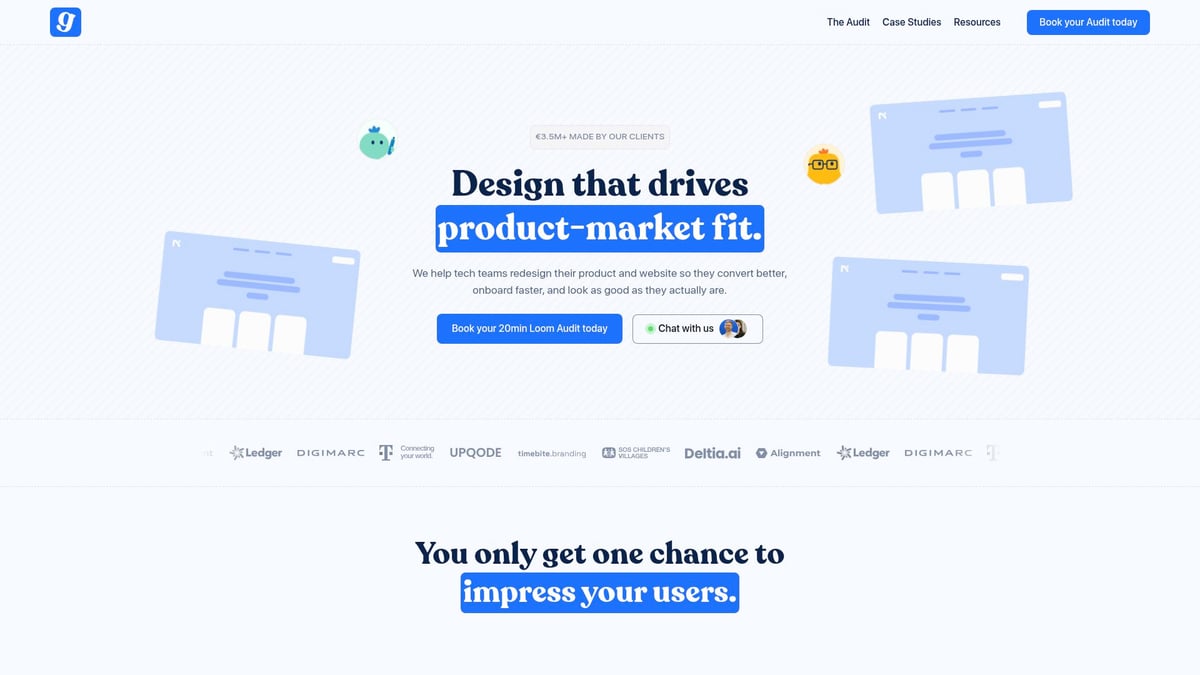
By leveraging modular design systems and data-driven decision making, Grauberg accelerates product-market fit and increases conversions. Startups value their expertise in delivering seamless user journeys and future-ready solutions for services ui design.
Grauberg’s approach ensures that growing companies can confidently scale while maintaining high standards for usability and brand consistency.
Future-Proofing Your Service UI: Strategies for 2026 and Beyond
Staying ahead in services ui design means building for tomorrow as well as today. Let’s explore how to make your digital experiences resilient, scalable, and ready for change.
Embracing Continuous Improvement
Continuous improvement is the heartbeat of effective services ui design. Teams should schedule regular usability testing, collect user feedback, and review analytics to identify areas for enhancement. By fostering a culture of iteration, you ensure your UI evolves with user expectations and industry shifts. This cycle of refinement keeps your services ui design relevant and competitive.
Building Flexible, Scalable Design Systems
Scalable design systems are essential for future-proofing services ui design. Modular components let you adapt quickly to new requirements, while thorough documentation streamlines onboarding for new team members. By anticipating growth and change, your design system remains robust, supporting both current and future business needs. Flexibility here is key to sustainable innovation.
Prioritizing Accessibility and Inclusivity
Accessibility should never be an afterthought in services ui design. Designing for all users, including those with disabilities, is crucial for compliance and user satisfaction. Referencing the U.S. Web Design System Accessibility Guidelines can help your team ensure digital services are usable by everyone. Prioritizing inclusivity strengthens your brand and expands your reach.
Investing in Talent and Collaboration
Success in services ui design relies on cross-functional teamwork. Encourage designers, developers, and product managers to collaborate closely, sharing knowledge and skills. Investing in ongoing training and staying current with emerging tools keeps your team agile. This collaborative environment accelerates problem-solving and sparks creative solutions.
Staying Ahead of Trends and Technologies
The digital landscape is always shifting, so keeping pace is critical for services ui design. Monitor industry trends, competitor innovations, and user expectations regularly. By adapting your approach quickly, you position your service to lead rather than follow. Staying proactive ensures your UI remains fresh, relevant, and aligned with new technologies.
After exploring the strategies and best practices for crafting high impact service UIs in 2026, you might be wondering how your own product and website stack up—or where you could make improvements. If you want a clear actionable assessment tailored to your startup’s unique journey, let’s take the next step together. You can Book a free Product Website Audit to get expert insights on how your landing page and product experience connect, and practical tips for driving better conversions and faster product market fit. It’s a friendly chat with real value—no strings attached.